A Good (and Fun) Use Case for AI
A Good (and Fun) Use Case for AI
One thing I learned is that AI is good it to write unit tests for enterprise level applications. Another good use is to convert programs between different languages. It works well with modern languages like Python, JavaScript, C/C++, but what about the BASIC language for 8-bit computers?
The Past
My first contact with computers was in the 80's when I learned how to program using BASIC in the 8 bit computers such as the Sinclair ZX81 clone model CP-200 and then later an Apple II clone called TK-3000 IIe.
If you never saw a BASIC program, it looks like this:
05 HOME : TEXT : REM Fibonacci numbers
10 LET MAX = 5000
20 LET X = 1 : LET Y = 1
30 IF (X > MAX) GOTO 100
40 PRINT X
50 X = X + Y
60 IF (Y > MAX) GOTO 100
70 PRINT Y
80 Y = X + Y
90 GOTO 30
100 END
The lines are numbered and the computer executes them in order. They usually increase by 10 (10, 20, 30, 40, 50) and not by 1 and the reason is to facilitate the inclusion of new lines in between without having to renumber the whole program. For example I can add a new line 15 PRINT MAX and it will work. The only rule is for them to be sequential.
We also have the dreadful "GOTO" statements. Some BASIC implementations or versions may have a "GOSUB" and "RETURN" which is similar to a modern function structure (kind of). This is where the term "spaghetti code" was coined.
For a simple program like this it is easy to see and follow the jumps but for programs with thousands of lines this becomes a big problem...
To learn more about the BASIC language check this Wikipedia link.
The Future
One of the things I like to do for fun is to play with those old BASIC programs. And since the only way to run them today is to use an emulator - which can be cumbersome sometimes - I try to convert them to new, more modern languages like JavaScript or Python.
My brain is not wired to create new things out of thin air, so I prefer to take something, break it apart, learn how it works, modify it, improve it, make it run faster and so on.
However, converting these programs can be fun, but sometimes can be very hard to untangle the nested "GOTO" jumps. Here is where AI comes into play. I am using AI tools for my job and I think there are some interesting use cases for it and this is one of them.
I started with this game that can be found in this page: Applesoft BASIC in JavaScript called "ARTILLERY" - select Artillery (Michael "Moose" O'Malley) in the dropdown and click "Run"
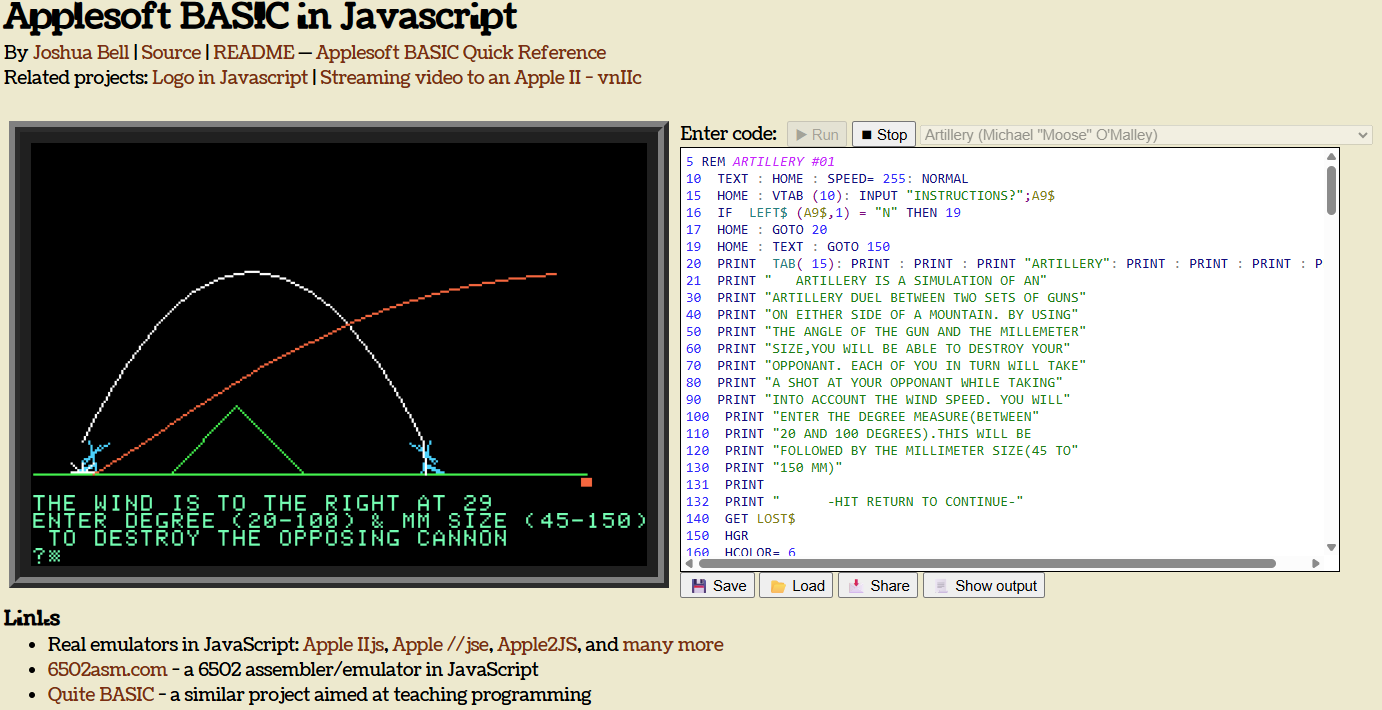
I copied the code and asked Copilot to convert it to JavaScript and HTML5 using canvas so it can be played in the browser. And it worked - kind of - here is the result:
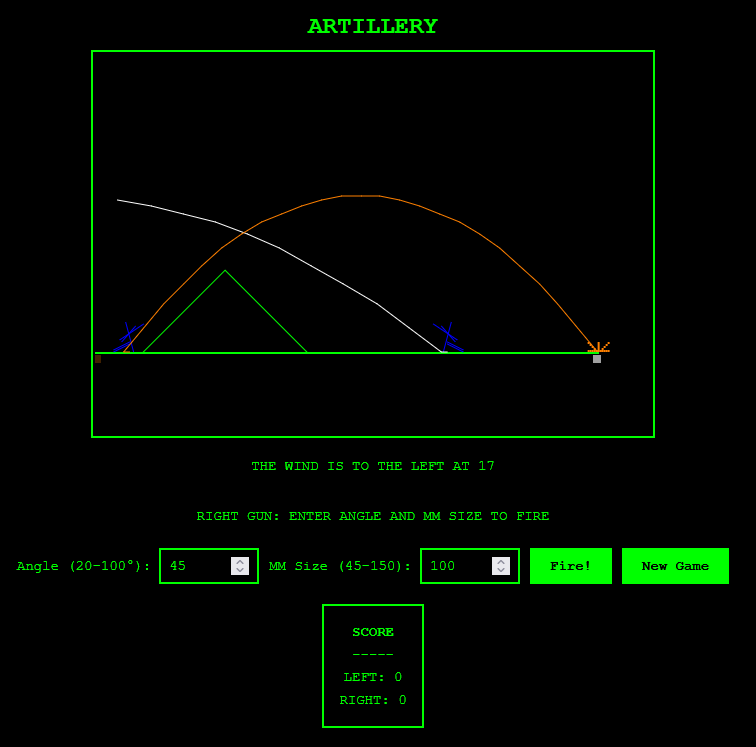
The UI needs improvement and there was a bug: the trajectory was wrong and not plotting the lines.
It took me some time to debug the jumps and I found out that one of the GOSUB-RETURN was mistakenly replaced by a "break" statement in one of the JavaScript loops.
But then I thought: can AI help me to understand this? So I asked it to generate a flowchart diagram of the code and present it in an HTML page. Here is the result:
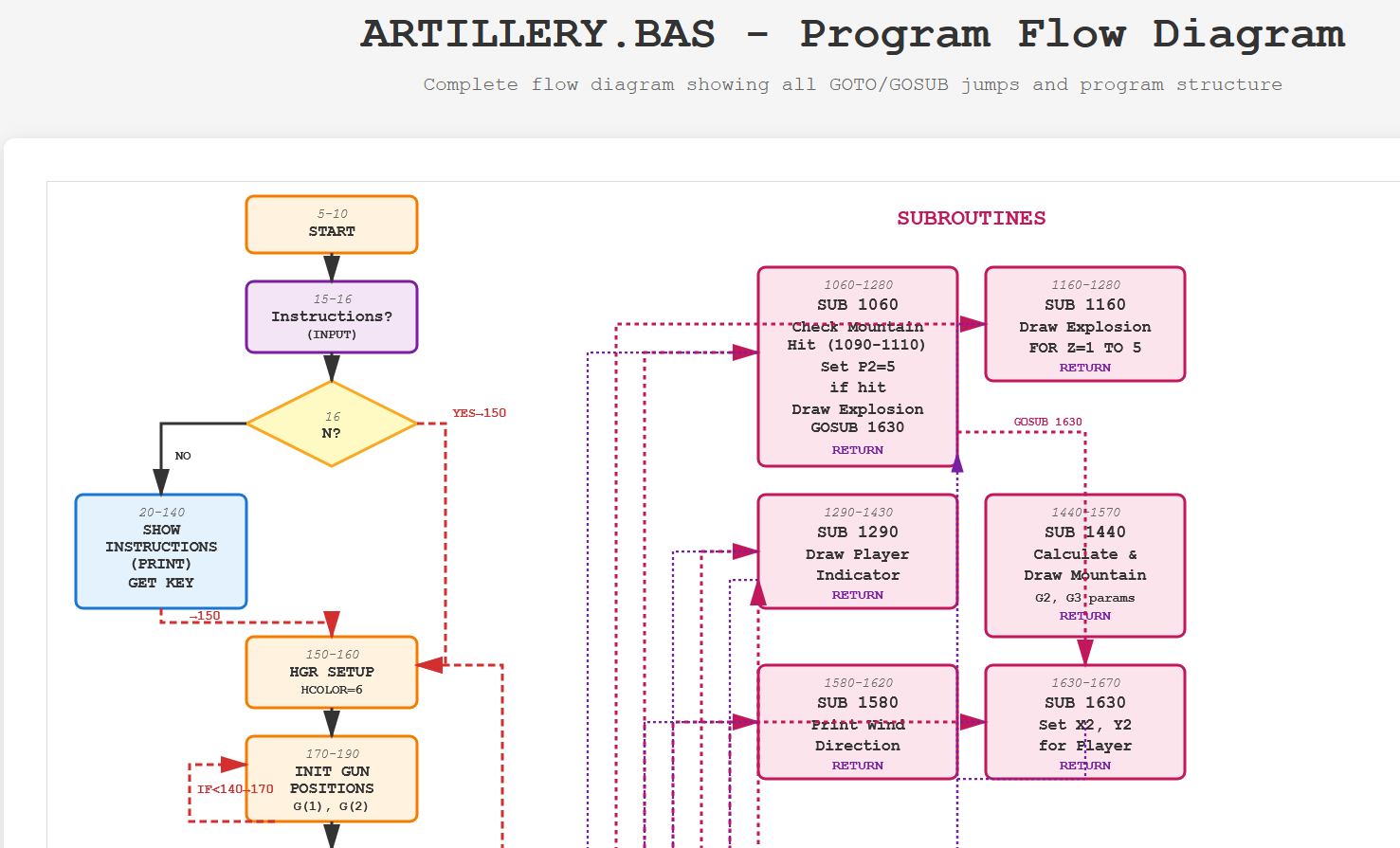
Nice, but the lines overlap and some boxes are not in a good position. I tried to organize it but each box is made of a couple of html elements, not really easy to move.
<!-- SUB 1160: Draw Explosion -->
<rect x="660" y="60" width="140" height="80" class="block-subroutine" rx="5"/>
<text x="730" y="75" text-anchor="middle" class="line-num">1160-1280</text>
<text x="730" y="90" text-anchor="middle" class="label" style="font-size:12px;font-weight:bold;">SUB 1160</text>
<text x="730" y="105" text-anchor="middle" class="label">Draw Explosion</text>
<text x="730" y="120" text-anchor="middle" class="label">FOR Z=1 TO 5</text>
<text x="730" y="133" text-anchor="middle" class="label" style="font-size:10px;fill:#7b1fa2;">RETURN</text>
I guess that is my fault since I was not specific enough (remember Aladdin's request: "make me a prince" to the Genie in the movie)...
So I asked Copilot to generate the diagram again, but this time using the Mermaid.js diagramming and charting tool.
And so I got this:
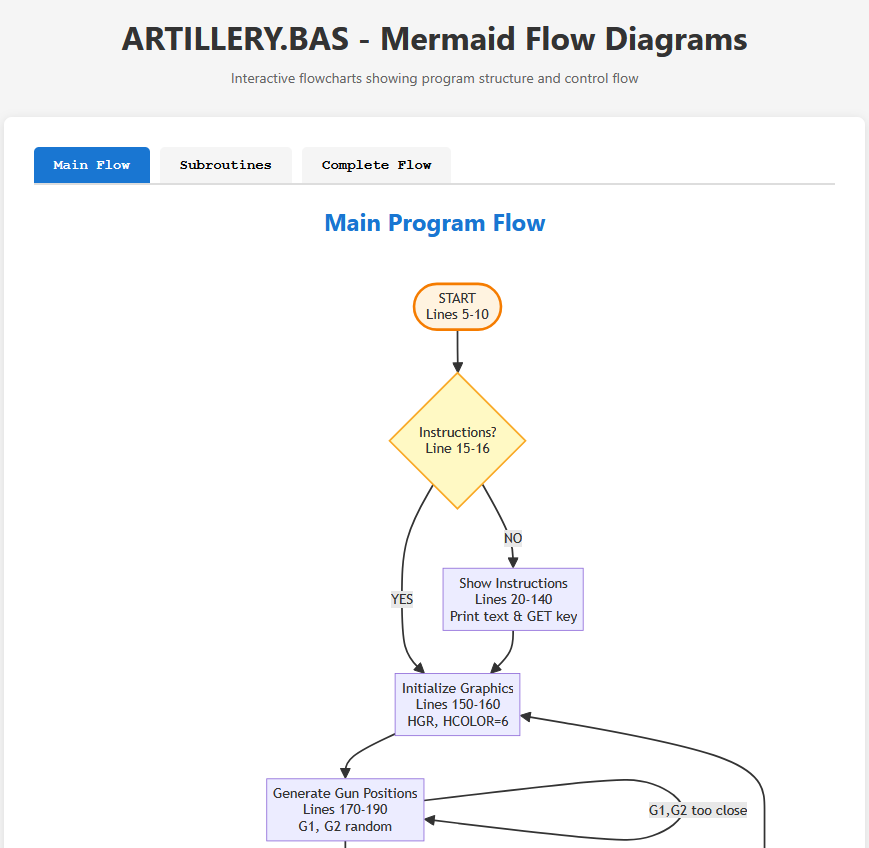
Which is much better than the previous one! But there was a bug. Copilot broke the diagram in 3 tabs, I assume because the content is too long and only the first tab was showing correctly:
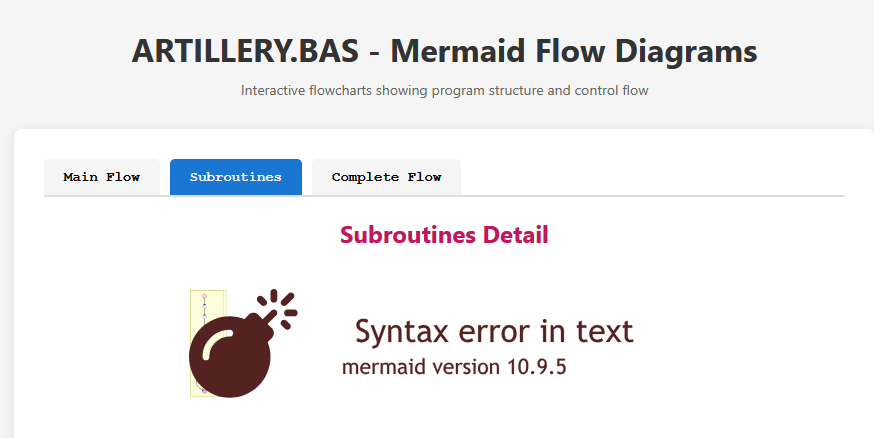
And the second tab:
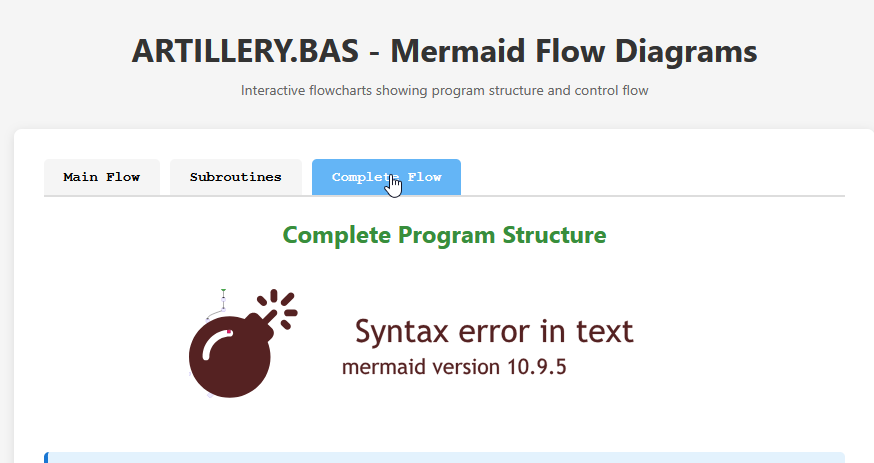
At first I thought the error could be in one of the texts that it used from the basic program to create the Mermaid diagram. I did some Google digging but there was nothing interesting there, just some suggestions to update the Mermaid version.
My next step was to copy the diagrams to Mermaid's online editor here and check if it worked there. Surprisingly it did, so a quick look a the documentation followed. Nothing suspicious...
That's when something came to my mind. The tabs were grouping multiple containers (one for each diagram) and the CSS was:
.diagram-container {
            display: none;
        }
.diagram-container.active {
            display: block;
        }
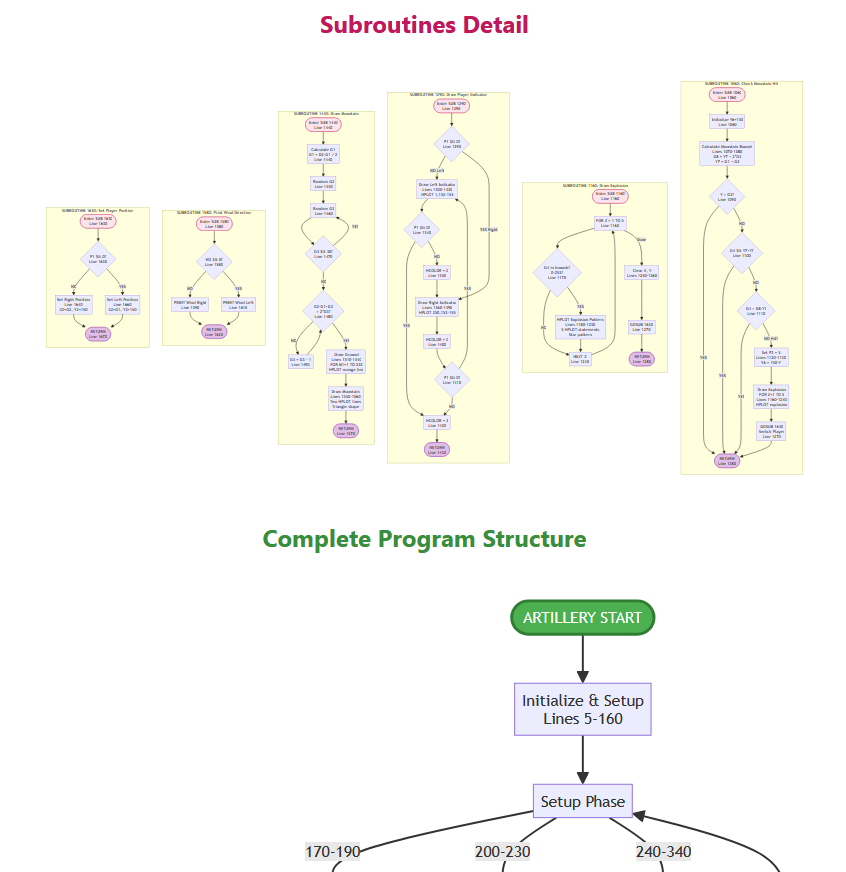
And the solution was to make display: block for both. Hiding part of the diagram was not working well with Mermaid's rendering system, maybe because it was treated as one piece only. Either way, the problem was solved!
Next steps
I still want to double check the game logic and probably make some improvements in the UI, but an improved (still in progress) version can be found here.
Conclusion
AI tools can help in many ways:
-
converting code
-
explaining it
-
generating unit tests
-
creating diagrams and flowcharts
but it is not perfect - such as the box positioning or the bugs due to hiding elements.
The more specific you are when writing your prompts the better, but that does not guarantee 100% correct behavior - always check and evaluate the output.